
Genjutsu AI · independent video studio
Genjutsu AI: keep the motion, change the reality
Upload a clip and a photo, pick a Genjutsu AI effect, and see the price before you render. Built on Kling, Wan, Seedance and Google Gemini. Independent studio.
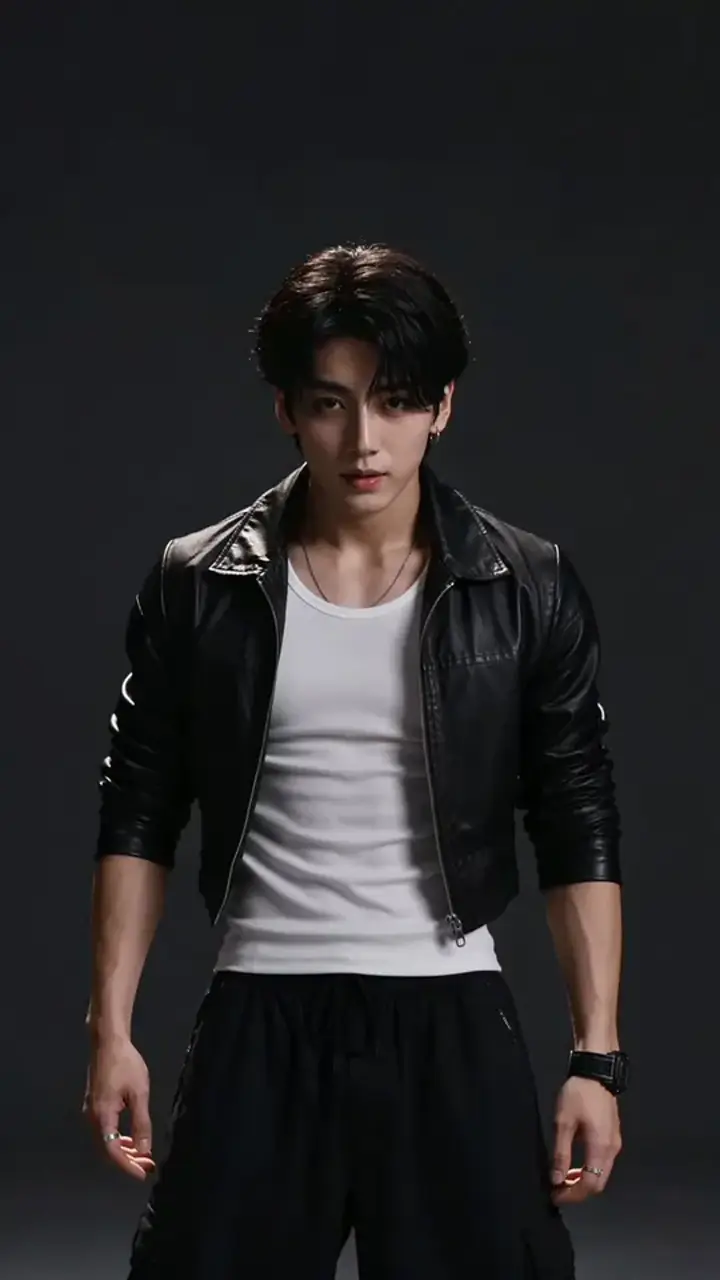
Motion Transfer: drop your clip here
MP4 or MOV, up to 95 MB.
Opens the studio with this filled in. Add the photo there; the exact credits show before anything renders.
- effects
- 12
- lowest credits per second
- 9/s
- clip length
- 2–30 s
- top resolution
- 4K
Failed renders are refunded automatically, and pack credits never expire.
Runs on
All 12 effectsGenjutsu AI effects you can try now
Every Genjutsu AI effect names the model that runs it and its price per second. Cards show what you upload and what comes back.
Motion transfer
- Try it37 cr/s
Motion Transfer
Your character performs every move of the clip. Runs on Kling 3.0 Motion Control · 3–30 s
- Try it17 cr/s
Photo Performer
A still photo comes alive with the clip's movement. Runs on Wan 2.2 Animate Move · 3–30 s
Swap
- Try it17 cr/s
Person Swap
Put a new person into your clip; the scene stays. Runs on Wan 2.2 Animate Replace · 3–30 s
- Try it69 cr/s
Group Swap
Two to four people in the clip, all recast at once. Runs on Seedance 2.5 Flash Edit · 4–30 s
- Try it69 cr/s
Wardrobe Change
New clothes on the same person, same take. Runs on Seedance 2.5 Flash Edit · 4–30 s
- Try it69 cr/s
Product Swap
Put your product in the hand of the same shot. Runs on Seedance 2.5 Flash Edit · 4–30 s
- Try it69 cr/s
Location Swap
Same performance, a different place around it. Runs on Seedance 2.5 Flash Edit · 4–30 s
Restyle
- Try it31 cr/s
Anime Redraw
Every frame redrawn as cel-shaded 2D animation. Runs on Kling 3.0 Omni Transform · 3–15 s
- Try it31 cr/s
Clay & Toy
Turn the clip into handmade stop-motion. Runs on Kling 3.0 Omni Transform · 3–15 s
- Try it22 cr/s
Style From Image
Match the look of any picture you upload. Runs on Wan 2.7 Video Edit · 2–10 s
- Try it13 cr/s
Time & Weather
Day to night, rain, snow or golden hour. Runs on Gemini Omni Flash 1.2 · 2–15 s
Photo to video
- Try it39 cr/s
Photo Morph
One photo dissolves into a new world, or A becomes B. Runs on Kling 4.0 · 5 s
幻術 · genjutsu
Japanese for “illusion art”
What is Genjutsu AI?
Genjutsu AI is a browser studio that takes the movement, timing and camera of a short clip and changes what is in it: a different character, outfit, product, place or art style. With no clip, it can bring a single photo to life.
In Genjutsu AI you choose an effect, not a model. Behind each one is a named model from Kling, Wan, Seedance or Google, usually with a cheaper Saver option, and the exact credits appear before you press Render.
How to make a Genjutsu video in three steps
- 1
Upload
A 3–30 second clip of the take you like, or a photo if you are starting from a still.
- 2
Add a photo or pick a look
The character who should perform, the outfit or product to swap in, or a style to redraw it in.
- 3
Render
Check the credits, tick the rights box and render. Most effects finish in a few minutes; a failed render is refunded.
Genjutsu motion transfer: give any character your moves
Film yourself, or use any clip of one person moving. Add a picture of the character. Genjutsu AI sends both to Kling Motion Control, which copies body, hands and camera from the clip onto the character in the picture.
- 1Kling 3.0 Motion Control is the default at 720p or 1080p; Kling 2.6 is the Saver.
- 2Wan 2.2 Animate Move keeps the photo's own background and needs no prompt.
- 3The source audio comes back with the result.
- 4One person per clip, head to waist in view, works best.
Genjutsu swap: change the person, outfit or product, keep the take
The performance and the camera stay. Genjutsu AI changes one thing in the frame.
Person Swap
The person in your clip is replaced by the one in your photo, matched to the original lighting and camera. Clips up to 10 MB.
Try it- Runs on
- Wan 2.2 Animate Replace
- Clip length
- 3–30 s
- Credits/s
- 17
- You upload
Genjutsu restyle: turn your clip into anime, clay or paint
Genjutsu AI restyles redraw every frame and keep the motion intact. Pick a ready look or upload a style picture of your own.
Clean line art and flat colour over your exact movement. The Best model returns silent video; re-add your sound afterwards.
Kling 3.0 Omni Transform · 3–15 s · 31 cr/s
Try itOne clip, many realities
Each Genjutsu AI effect is a written recipe. Here is what the studio sends for the same 6-second dance clip, and what each version costs.
Source: 6 s dance clip, one person
Anime Redraw
“Redraw the entire video as clean cel-shaded 2D anime with bold line art, flat colour and soft painted backgrounds, preserving every movement, expression and camera move.”
Kling 3.0 Omni Transform · 186 credits
Clay & Toy
“Turn the whole video into handmade stop-motion claymation: plasticine figures with visible thumbprints, felt and painted-card scenery, soft studio light, same movement and framing.”
Kling 3.0 Omni Transform · 186 credits
Time & Weather
“Keep everything in the shot the same and change only the time and weather: turn day into a clear night with moonlight. Relight the scene to match.”
Gemini Omni Flash 1.2 · 78 credits
Wardrobe Change
“Dress the person in video 1 in the outfit from image 1, keeping their face, body, movement, the camera and the background of video 1 unchanged.”
Seedance 2.5 Flash Edit · 414 credits
Person Swap
Put a new person into your clip; the scene stays.
Wan 2.2 Animate Replace · 102 credits
Which AI model powers each Genjutsu effect
Genjutsu AI prices are credits per second of your clip at the resolution shown. Some models bill a minimum length.
| Effect | Model | You upload | Length | Credits/s | Sound |
|---|---|---|---|---|---|
| Motion transfer | |||||
| Motion Transfer | Kling 3.0 Motion ControlSaver: Kling 2.6 Motion Control (25) | Character photo + Your clip | 3–30 s | 37 | Your clip's audio |
| Photo Performer | Wan 2.2 Animate Move | Character photo + Your clip | 3–30 s | 17 | Your clip's audio |
| Swap | |||||
| Person Swap | Wan 2.2 Animate Replace | Character photo + Your clip | 3–30 s | 17 | Your clip's audio |
| Group Swap | Seedance 2.5 Flash Edit | Your clip + Reference pictures | 4–30 s | 69 | Optional new sound |
| Wardrobe Change | Seedance 2.5 Flash Edit | Your clip + Reference pictures | 4–30 s | 69 | Optional new sound |
| Product Swap | Seedance 2.5 Flash Edit | Your clip + Reference pictures | 4–30 s | 69 | Optional new sound |
| Location Swap | Seedance 2.5 Flash EditSaver: Gemini Omni Flash 1.2 (13) | Your clip | 4–30 s | 69 | Optional new sound |
| Restyle | |||||
| Anime Redraw | Kling 3.0 Omni TransformSaver: Gemini Omni Flash 1.2 (13) | Your clip | 3–15 s | 31 | Silent |
| Clay & Toy | Kling 3.0 Omni TransformSaver: Gemini Omni Flash 1.2 (13) | Your clip | 3–15 s | 31 | Silent |
| Style From Image | Wan 2.7 Video Edit | Your clip + Style picture | 2–10 s | 22 | Keep or drop original |
| Time & Weather | Gemini Omni Flash 1.2 | Your clip | 2–15 s | 13 | Model decides |
| Photo to video | |||||
| Photo Morph | Kling 4.0 | Photo | 5 s | 39 | Native sound |
Genjutsu AI pricing: per second, shown before you render
Pick a Genjutsu AI effect and a clip length to see the exact credits, and how many of those renders each pack covers. No subscription needed; pack credits never expire.
296
credits for this render · 720p · Billed for 8 s (the model's minimum is 3 s)
- Launch pack · $9.90600≈ 2 renders
- Creator · $29.902,200≈ 7 renders
- Studio · $49.904,200≈ 14 renders
- Business · $99.9010,000≈ 33 renders
- All packs and plans
Tips for a clean Genjutsu result
Do
- Keep one person in frame for motion transfer and person swap.
- Use a character photo with the head, shoulders and torso visible.
- Trim to the 4–10 seconds you need; you pay for every second.
- Match the photo's framing to the result you want: Kling follows the photo's shape.
Avoid
- Several dancers in one shot: motion control can't find a single body.
- Fast cuts and heavy motion blur in the source clip.
- Logos, brands or faces you have no permission to use.
- Tiny clips under the model's minimum: you are billed for the minimum anyway.
Use Genjutsu responsibly
Genjutsu AI asks you to confirm these before every media render, and the server refuses the render otherwise.
- Only use people who agreed, or yourself.
- No public figures, celebrities or politicians.
- No one under 18, ever.
- Label the result as AI-generated where you post it.
- Wan renders run with the provider's content checker on.
Genjutsu AI FAQ
- What is Genjutsu AI?
- Genjutsu AI is an online studio that keeps the motion and camera of a short clip and changes what is in it: a new character, outfit, product, location or art style. It can also animate a single photo.
- What does “genjutsu” mean?
- 幻術 is Japanese for “illusion art” or “sorcery”. We use it for video effects that change what a clip shows while keeping how it moves.
- Is Genjutsu.live the same as Higgsfield Genjutsu?
- No. We are an independent studio, not affiliated with Higgsfield. Our effects run on Kling, Wan, Seedance and Google models, and each effect names its model.
- Which AI models does Genjutsu AI use?
- Genjutsu AI runs Kling 3.0 and 2.6 Motion Control, Wan 2.2 Animate (Move and Replace), Seedance 2.5 Flash edit, Kling 3.0 Omni transformation, Wan 2.7 video edit and Gemini Omni Flash, plus Kling 4.0 for photo-to-video. The table above lists which effect uses which.
- What do I need to upload?
- It depends on the effect: a character photo and a clip, just a clip, a clip plus an outfit, product or style picture, or just a photo. Clips are MP4 or MOV up to 95 MB.
- How long can a Genjutsu video be?
- Motion transfer and person swap take 3–30 s clips, group, outfit and product swaps 4–30 s, restyles 3–15 s (2–10 s with a style picture). The result is about as long as your clip.
- How much does a Genjutsu video cost?
- You pay per second of your clip at the resolution you choose, from 9 credits a second (Person Swap at 480p) up to 101 (Anime Redraw at 4K); Photo Morph, which needs no clip, is billed per 5-second result. Genjutsu AI shows the exact total before you render, refunds failed renders, and pack credits do not expire.
- Is there a free Genjutsu AI?
- New accounts get 20 credits for 30 days. That covers an image, but not a Genjutsu clip: the cheapest clip effect starts at 26 credits (Time & Weather, 2 s). There is no free tier beyond that; short clips and Saver models keep the cost down.
- Can I use someone else's face?
- Only with their permission. No public figures, no minors, no deceptive use. Tick the rights box before rendering and label results as AI-generated.
- Will my original audio be kept?
- Motion transfer and person swap return your clip's audio. Wan 2.7 can keep it, Seedance can generate new sound, and Kling 3.0 Omni restyles come back silent. The studio says which before you render.
Genjutsu guides
All tutorials- How to Make a Genjutsu Motion Transfer Video (Step by Step)A practical Genjutsu motion transfer tutorial: pick a clip and a character photo, choose Kling 3.0 Motion Control or the Saver model, check the price per second and fix the most common errors.
- Genjutsu Effects Explained: Swap, Restyle and MotionWhat every Genjutsu AI effect does, which model runs it, what you upload, how long the clip can be, what it costs per second and what happens to the sound.
- Genjutsu Prompts: 30 Ideas for Restyles, Locations and Time ShiftsThirty original Genjutsu prompts you can paste into the studio: restyles, location swaps, time-of-day and weather shifts and motion notes, each with the effect it suits.
Your take, another reality
Open the Genjutsu AI studio, pick an effect and see the price before anything renders.
Open the Genjutsu studio